

Set up Adyen e-commerce
For merchants integrating Affirm into their online checkout using Adyen’s Web, Mobile, or API payments platform.
Overview
Affirm is available as a Buy Now, Pay Later (BNPL) payment method through Adyen’s online payments platform. This guide explains how to enable Affirm for e-commerce flows using:
Eligibility and requirements
Affirm requirements
- Merchant must be approved by Affirm.
- Transactions must be in supported currencies.
- Financing terms and disclosures must use Affirm-approved language.
Adyen requirements
- Affirm must be enabled in the Adyen Customer Area or via the Management API.
- Merchant account must support Affirm (region + currency).
- The integration must provide required shopper identity information.
Integration steps
Step 1: Enable through Adyen Customer Area
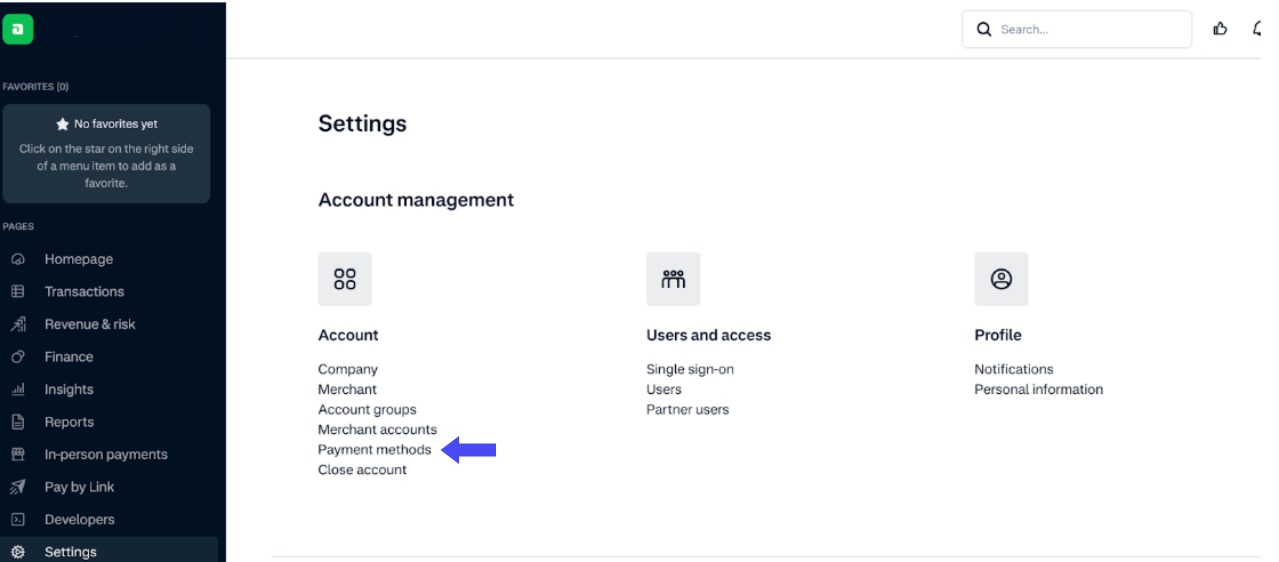
- Log in to Adyen Customer Area.
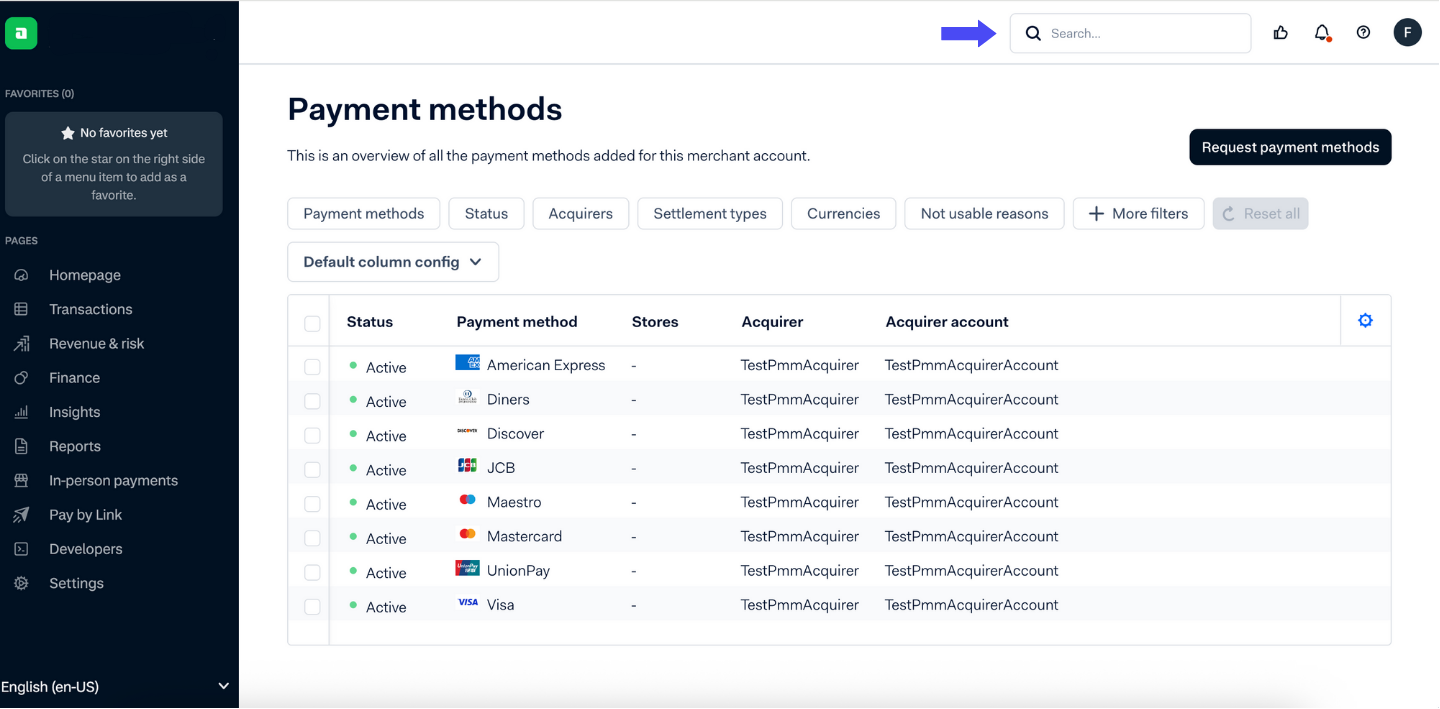
- Navigate to Payment Methods.
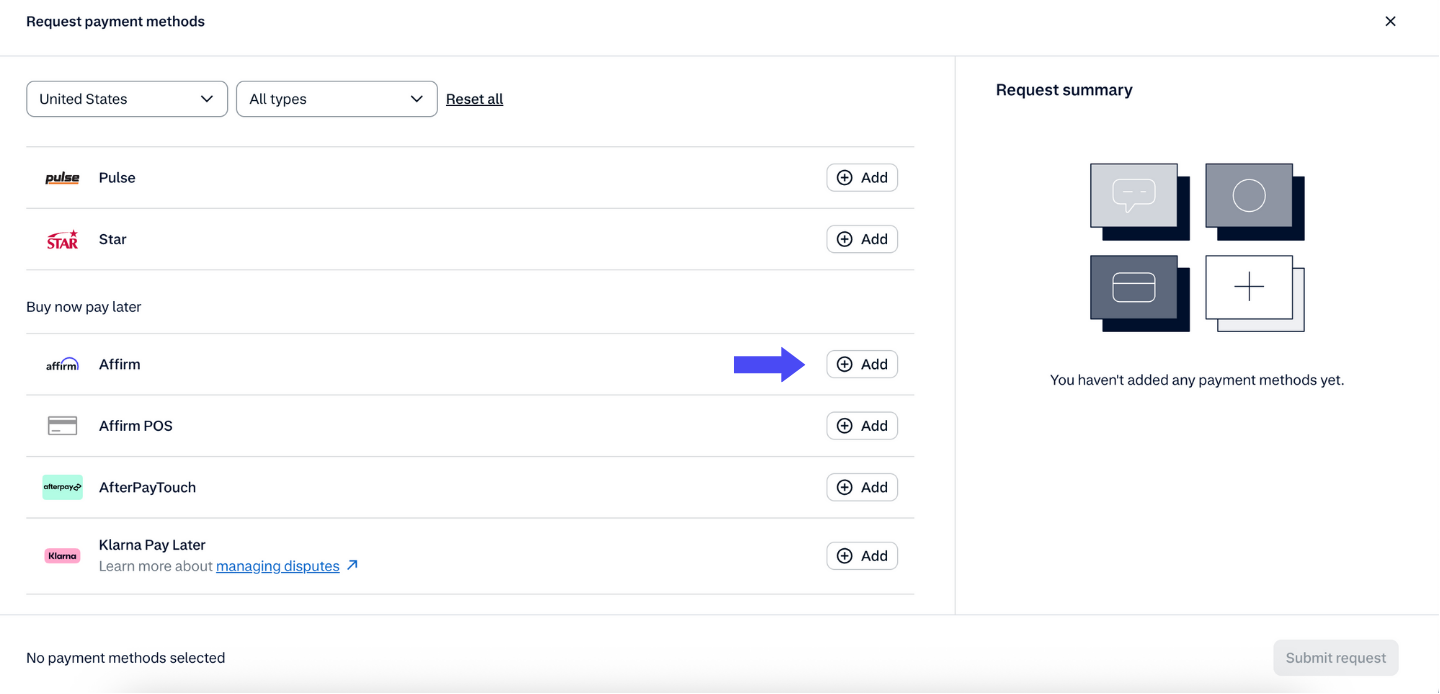
- Search for Affirm.
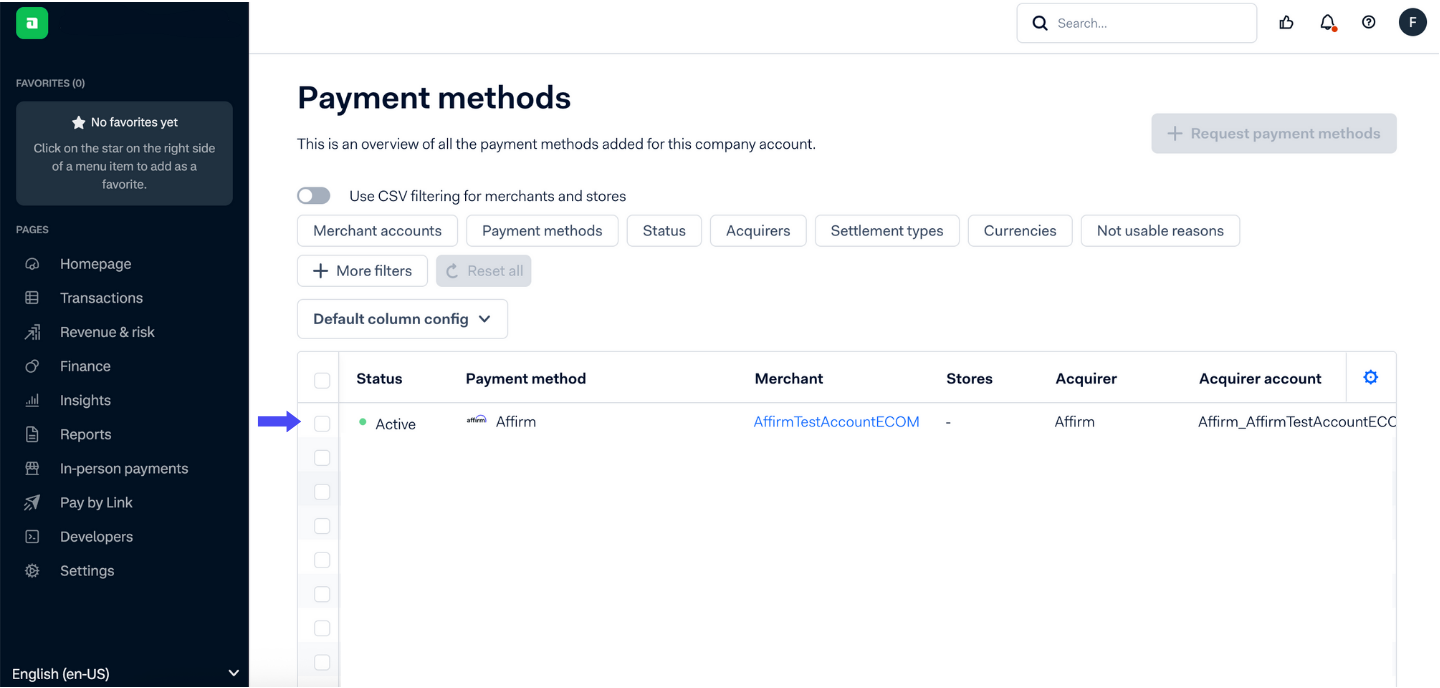
- Click Add.
- Choose the merchant account(s) where Affirm should be available.
Step 2: Choose your integration type
You may integrate Affirm through any of the Adyen-supported methods listed below:
- API-only (complete control of front-end + back-end): (Adyen API-only Guide)
- Web Drop-in: (Adyen Web Drop-in Guide)
- Web Components: (Adyen Web Components Guide)
API-only (Adyen API-only Guide)
- Build your own checkout UI while calling Adyen’s APIs to initiate Affirm payments.
- Include item-level details for approval optimization.
- Handle redirects, capture payments, and process refunds/cancellations programmatically.
Web Drop-in (Adyen Web Drop-in Guide)
- Add Affirm to an existing Drop-in integration.
- Configure required shopper details (name, phone, email, reference, country, addresses).
- Optionally control visibility of form fields.
- Capture payments within 28 days.
Web Components (Adyen Web Components Guide)
- Mount the Affirm Component on your checkout page.
- Configure field visibility and prefill data where applicable.
Step 3: Test and go live
- Request test credentials from Affirm.
- Process test transactions and review in Adyen’s test Customer Area.
- Provide Affirm live credentials in Adyen’s live Customer Area to start accepting live payments.
Recommended topics
- Adyen API-only guide
- Adyen Web Drop-in guide
- Adyen Web Components guide
- About Adyen
- Set up Adyen in-store
- Adyen operations
Updated 10 months ago
Did this page help you?