
Configurer Adyen e-commerce
Pour les commerçants qui intègrent Affirm à leur caisse en ligne en utilisant la plateforme de paiement Web, mobile ou API d'Adyen.
Aperçu
Affirm est offert comme mode de paiement Acheter maintenant, payer plus tard (BNPL) sur la plateforme de paiements en ligne d'Adyen. Ce guide explique comment activer Affirm pour les flux de commerce électronique en utilisant :
Admissibilité et exigences
Exigences Affirm
- Le commerçant doit être approuvé par Affirm.
- Les transactions doivent être effectuées dans des devises prises en charge.
- Les modalités de financement et les divulgations doivent utiliser un langage approuvé par Affirm.
Exigences Adyen
- Affirm doit être activé dans l'espace client Adyen ou au moyen de l'API de gestion.
- Le compte commerçant doit prendre en charge Affirm (région + devise).
- L'intégration doit fournir les renseignements requis sur l'identité des acheteurs.
Étapes d'intégration
Étape 1 : Activez via l'espace client Adyen
- Connectez-vous à l'Espace client Adyen.
- Accédez à Modes de paiement.
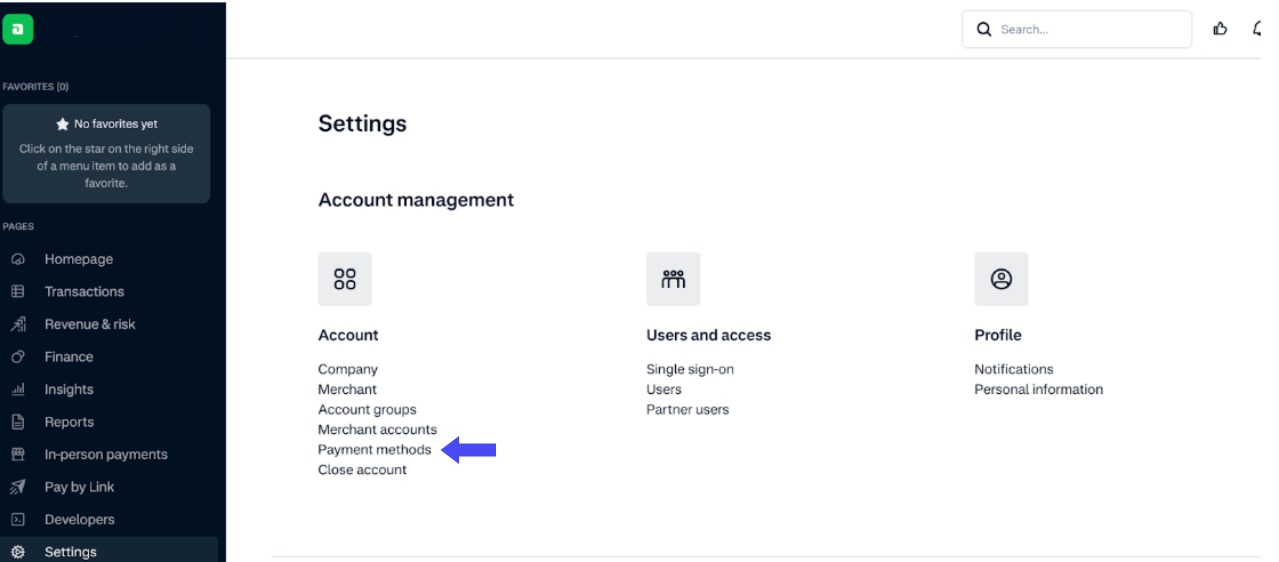
- Recherchez Affirm.
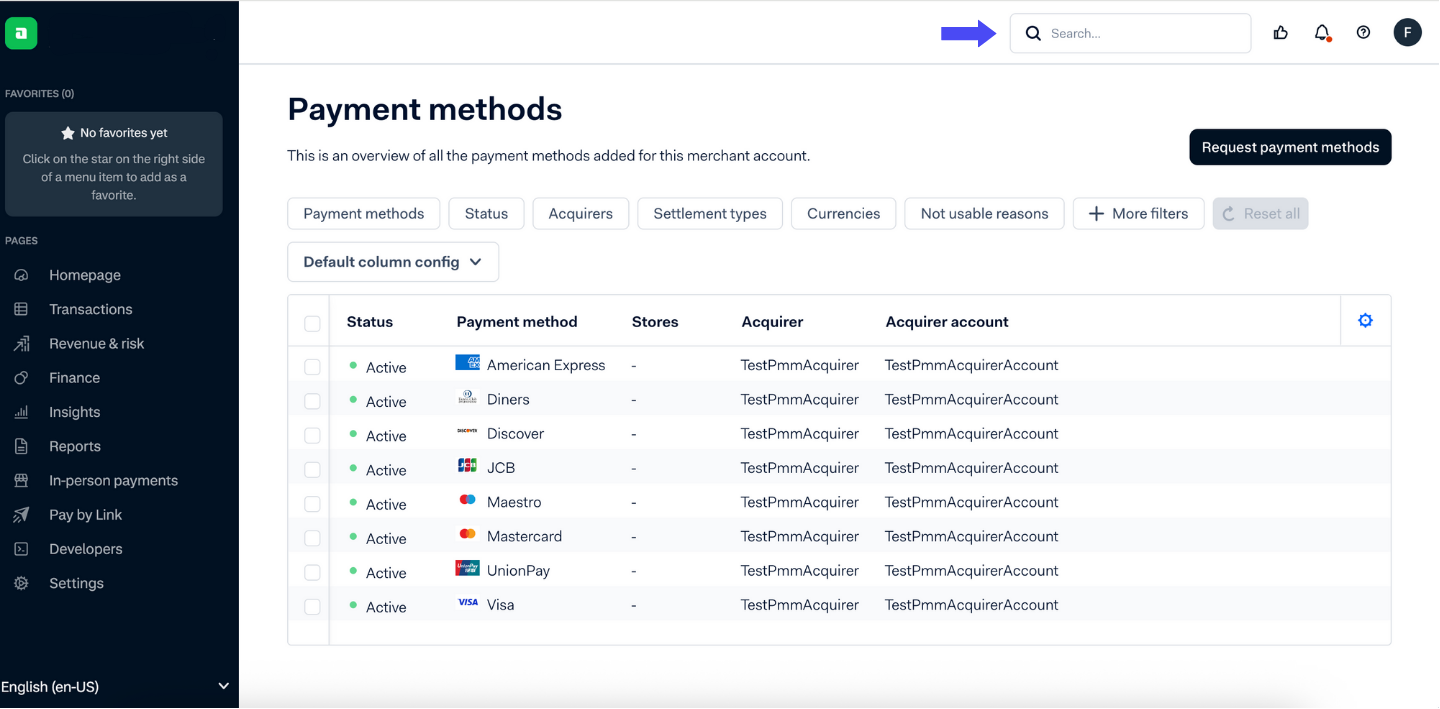
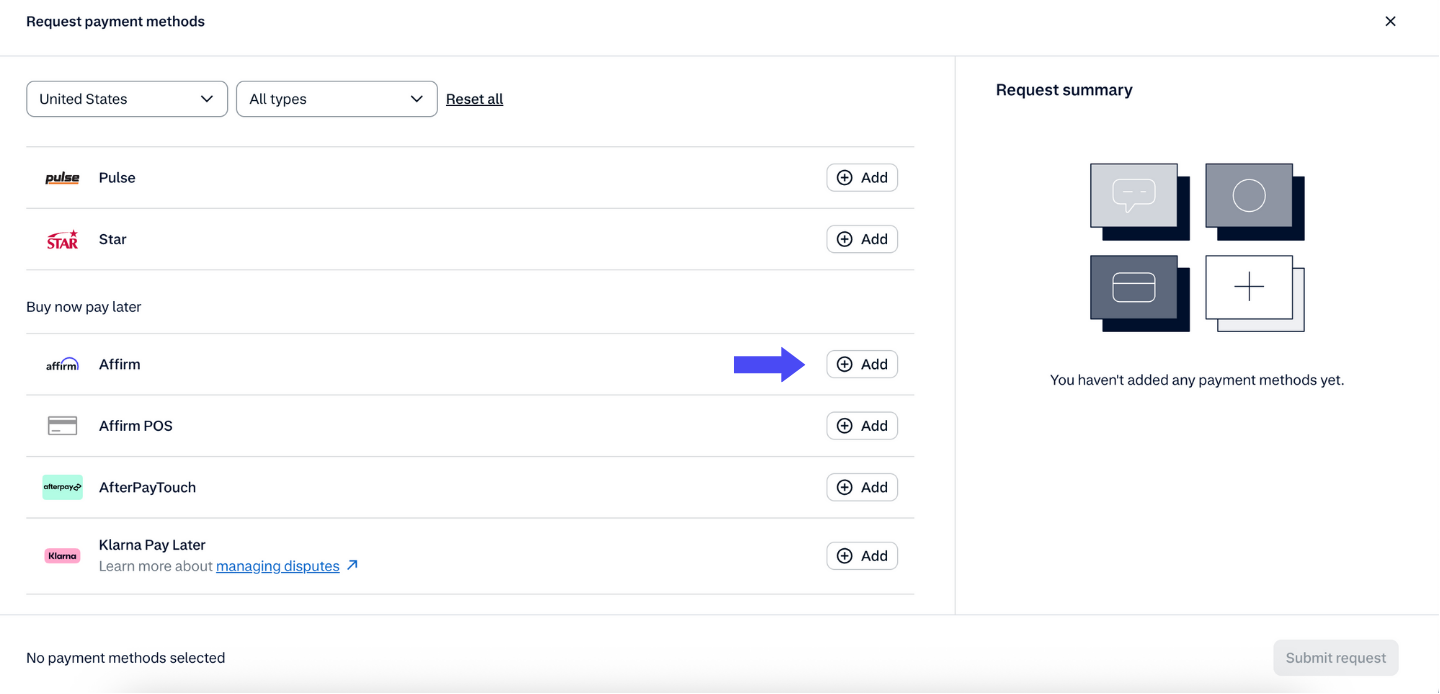
- Clique sur Ajouter.
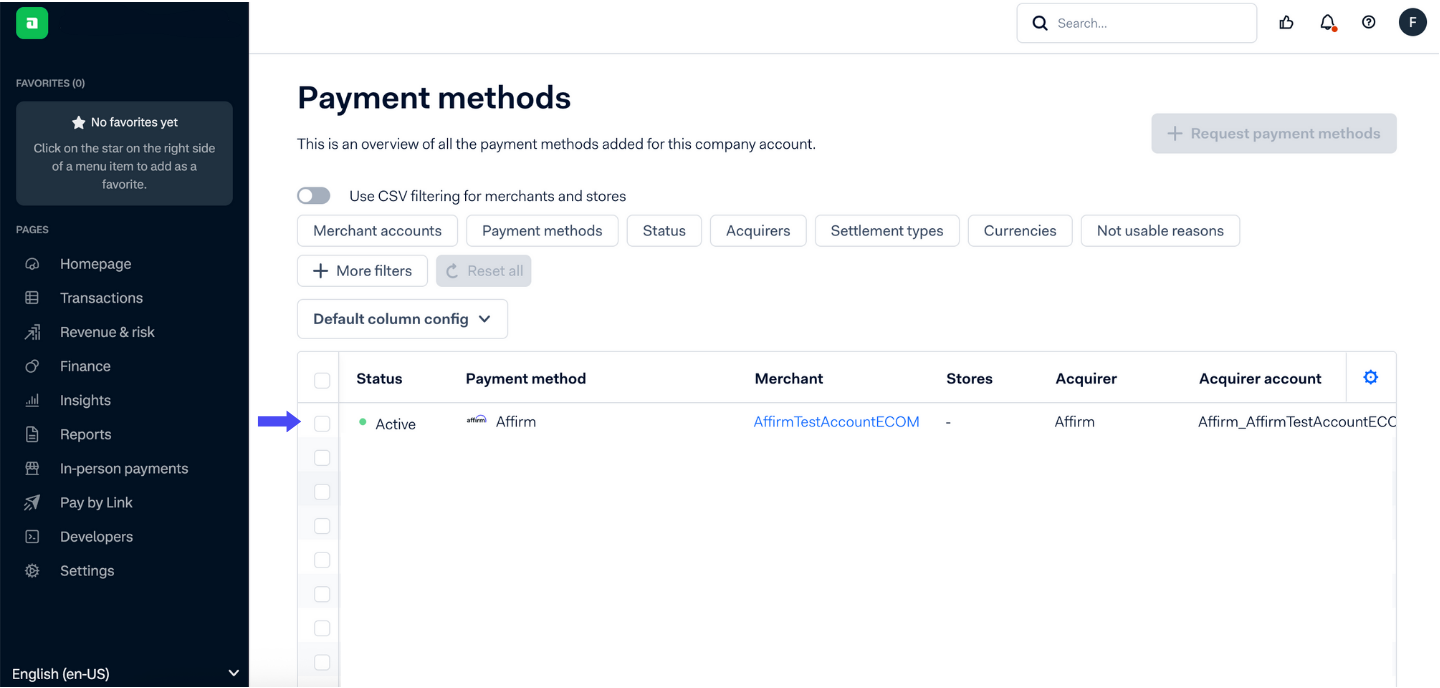
- Choisissez le ou les comptes de commerçant où Affirm devrait être disponible.
Étape 2 : Choisissez votre type d'intégration
Vous pouvez intégrer Affirm par l'une des méthodes prises en charge par Adyen et énumérées ci-dessous :
- API uniquement (contrôle complet du front-end + back-end) : (Guide Adyen API uniquement)
- Web Drop-in : (Guide du Web Drop-in d’Adyen)
- Composants Web : (Guide des composants Web Adyen)
API uniquement (Guide Adyen API uniquement)
- Créez votre propre interface utilisateur de caisse tout en appelant les API d'Adyen pour initier les paiements Affirm.
- Inclure des détails au niveau de l'article pour optimiser l'approbation.
- Gérer les redirections, saisir les paiements et traiter les remboursements / annulations de manière programmatique.
Web Drop-in (Guide Web Drop-in Adyen)
- Ajouter Affirm à une intégration Drop-in existante.
- Configurez les détails obligatoires de l'acheteur (nom, téléphone, courriel, référence, pays, adresses).
- Contrôlez optionnellement la visibilité des champs de formulaire.
- Capturez les paiements dans les 28 jours.
Composants Web (Guide des composants Web d’Adyen)
- Montez le composant Affirm sur votre page de caisse.
- Configurez la visibilité des champs et préremplissez les données lorsque c'est applicable.
Étape 3 : Tester et mettre en ligne
- Demandez des renseignements d'identification d'essai à Affirm.
- Traitez les transactions d'essai et les réviser dans l'espace client d'essai d'Adyen.
- Fournissez les informations d'identification en direct d'Affirm dans la zone client en direct d'Adyen pour commencer à accepter les paiements en direct.
Sujets recommandés
- Guide API uniquement Adyen
- Guide Web Drop-in Adyen
- Guide des composants Web Adyen
- À propos d'Adyen
- Configurer Adyen en magasin
- Opérations Adyen
Mis à jour 10 months ago
Cette page vous a-t-elle aidé?