
Reliability & Testing
Fail-Open Principle
Connected Accounts acceleration must never be able to block a checkout. If any step in the Returning User Flow fails for any reason, do not surface an error to the customer. Instead, drop the acceleration attempt and proceed with a standard, non-accelerated checkout. The customer simply falls back to normal authentication flow.
Relevant Screens
The following screens are specific to Connected Accounts and will not appear like this in standard flows.
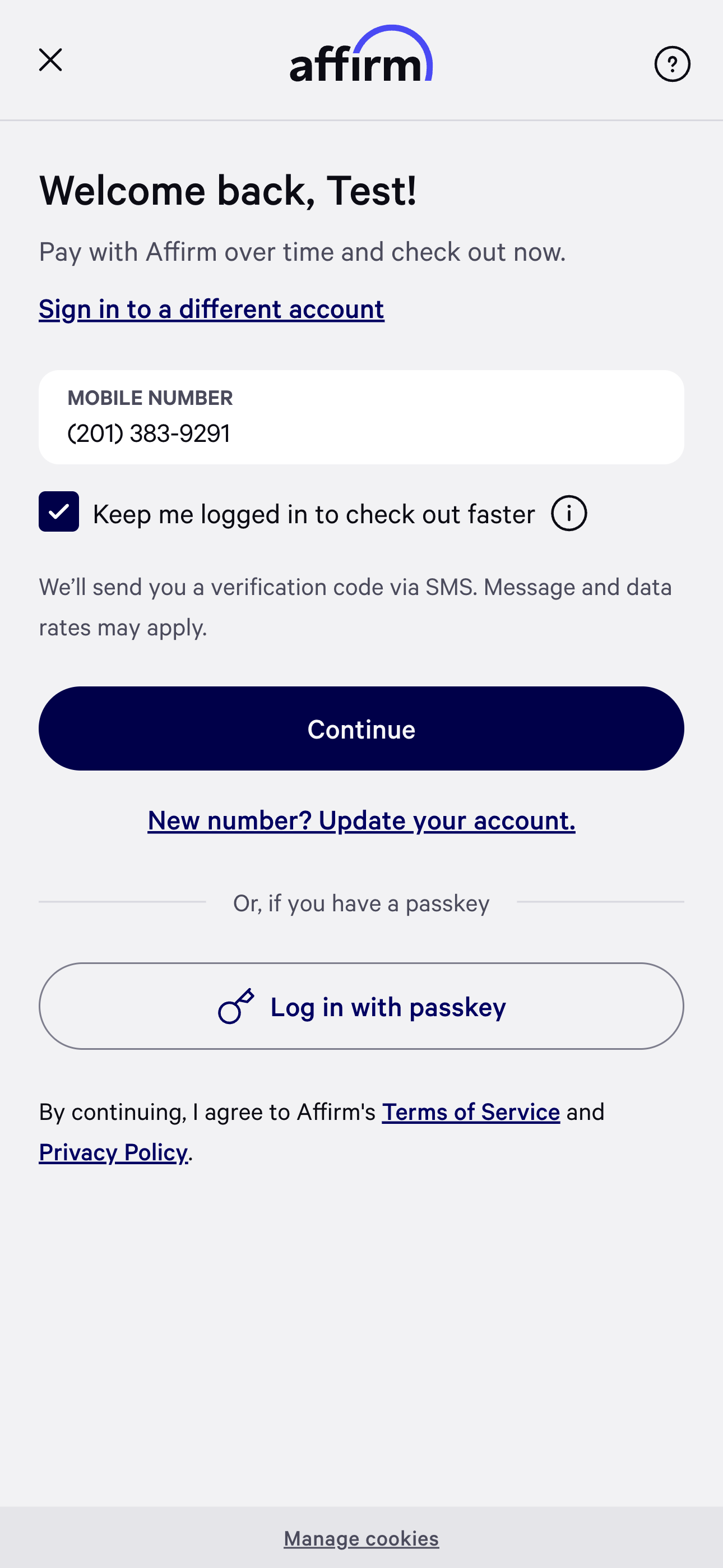
Phone Number Entry Page
The phone number entry page will render a checkbox that says "Keep me logged in to checkout faster". When users check this box, they consent to Connected Accounts and refresh token creation will be attempted.
User Profile
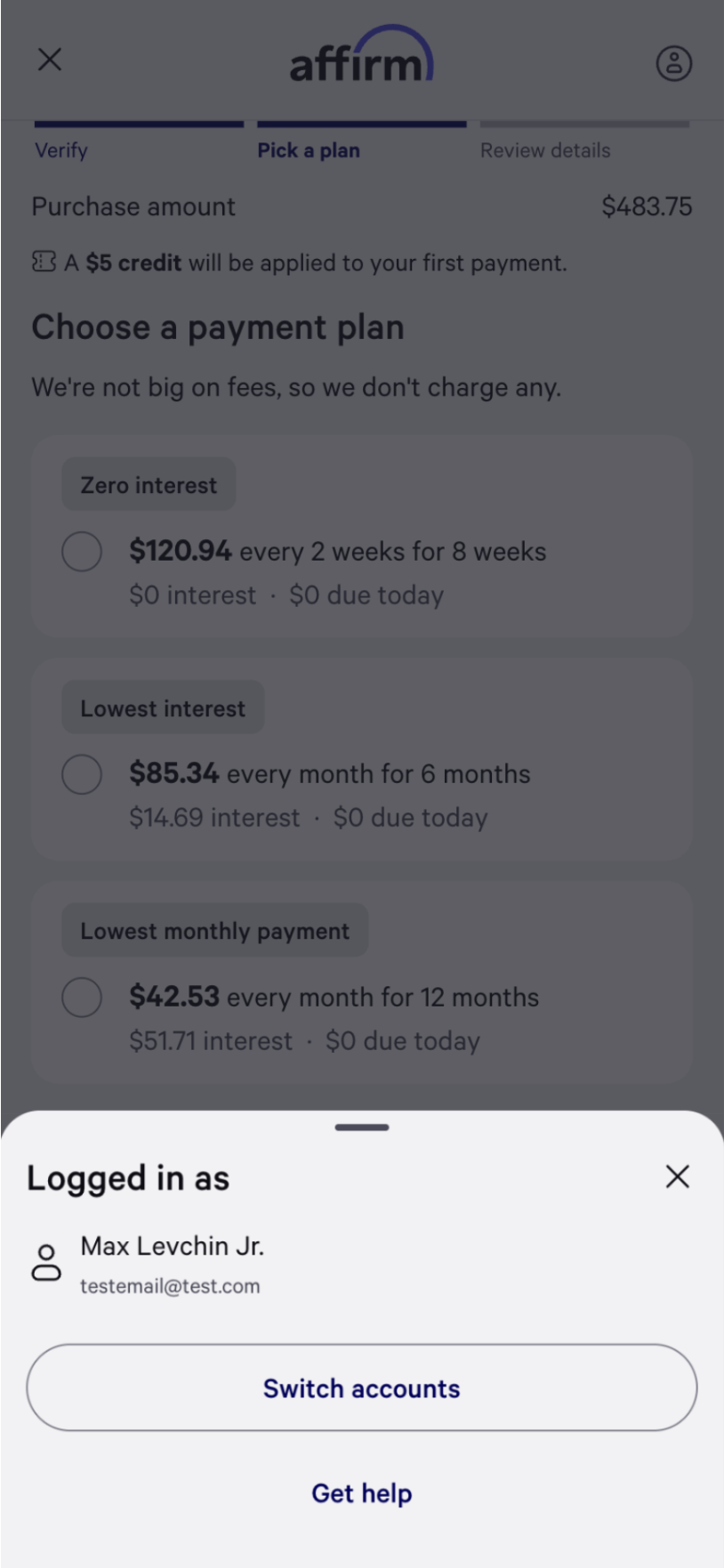
Once a user is signed in, a user profile will will appear in the top right corner. When opened, it will show the user's name and email. This is where a user is able to sign-out and disconnect their account.
Test Scenarios
| Scenario | How to Test | Expected Result |
|---|---|---|
| New customer linking | Complete checkout with “Keep me logged in to checkout faster” checked | Receive refresh token via webhook or Token Lookup API |
| Returning customer acceleration | Use stored refresh token in Token Exchange | Receive access token; checkout is accelerated, so the user bypasses the authentication flow. |
| Expired refresh token | Revoke the token via the ‘Switch accounts’ button to disconnect your account from the merchant | unauthorized error; standard checkout proceeds |
| Invalid access token | Use a malformed or expired access token | Checkout proceeds without acceleration (fail-open) |
| Token rotation | Exchange the same refresh token twice (minutes later) | Second request fails with unauthorized |
Updated 2 months ago