
About Connected Accounts
Interested in Connected Accounts?Reach out to your Affirm Account Manager to confirm availability and next steps.
Overview
Connected Accounts enables accelerated checkout for returning customers by allowing customers to securely link their merchant account with their Affirm account. Once linked, returning customers can be recognized and authenticated using their existing Connected Accounts credentials, allowing them to bypass Affirm’s standard phone and PIN authentication. This reduces checkout friction and drop-off while helping drive repeat usage and conversion.
Customers explicitly consent to linking their accounts during their initial checkout and can unlink at any time, keeping the experience transparent and in their control.
Connected Accounts uses an OAuth 2.0 flow with PKCE (Proof Key for Code Exchange) to securely authenticate returning customers. After a customer links their account, you store a refresh token. On subsequent visits, you exchange the refresh token for a short-lived access token and pass it to the checkout API to initiate an accelerated checkout.
| Standard Flow | Accelerated Checkout |
|---|---|
| The first Affirm screen the customer sees is the phone number entry screen, where they sign in using their phone number. During this initial checkout, eligible customers are also shown the Connected Accounts consent prompt, giving them the option to link their merchant account with their Affirm account for faster future checkouts. | For a returning customer with a linked account, the first Affirm screen they see is the terms screen. Their existing Connected Accounts credentials are used to authenticate them, allowing them to skip phone number entry and PIN verification and move through checkout faster. |
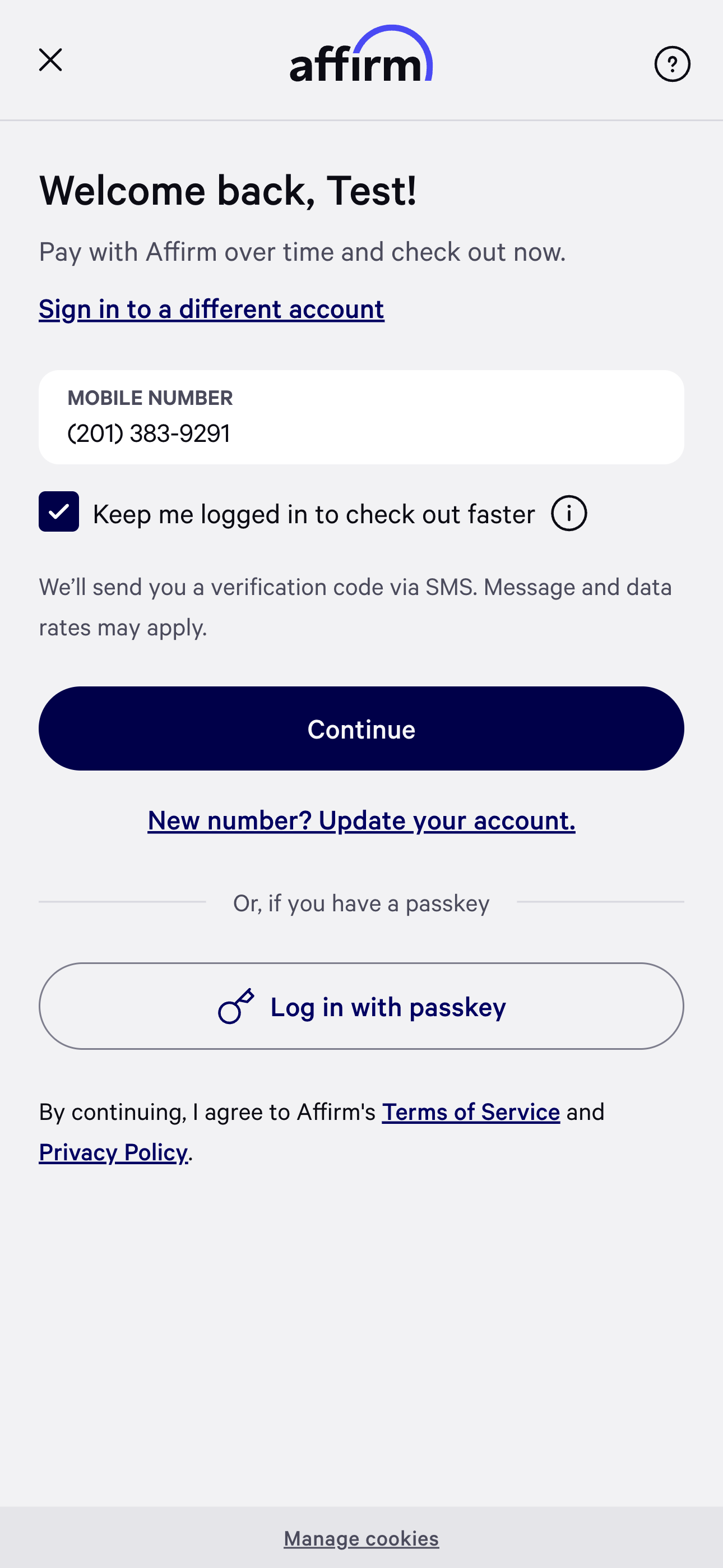 | 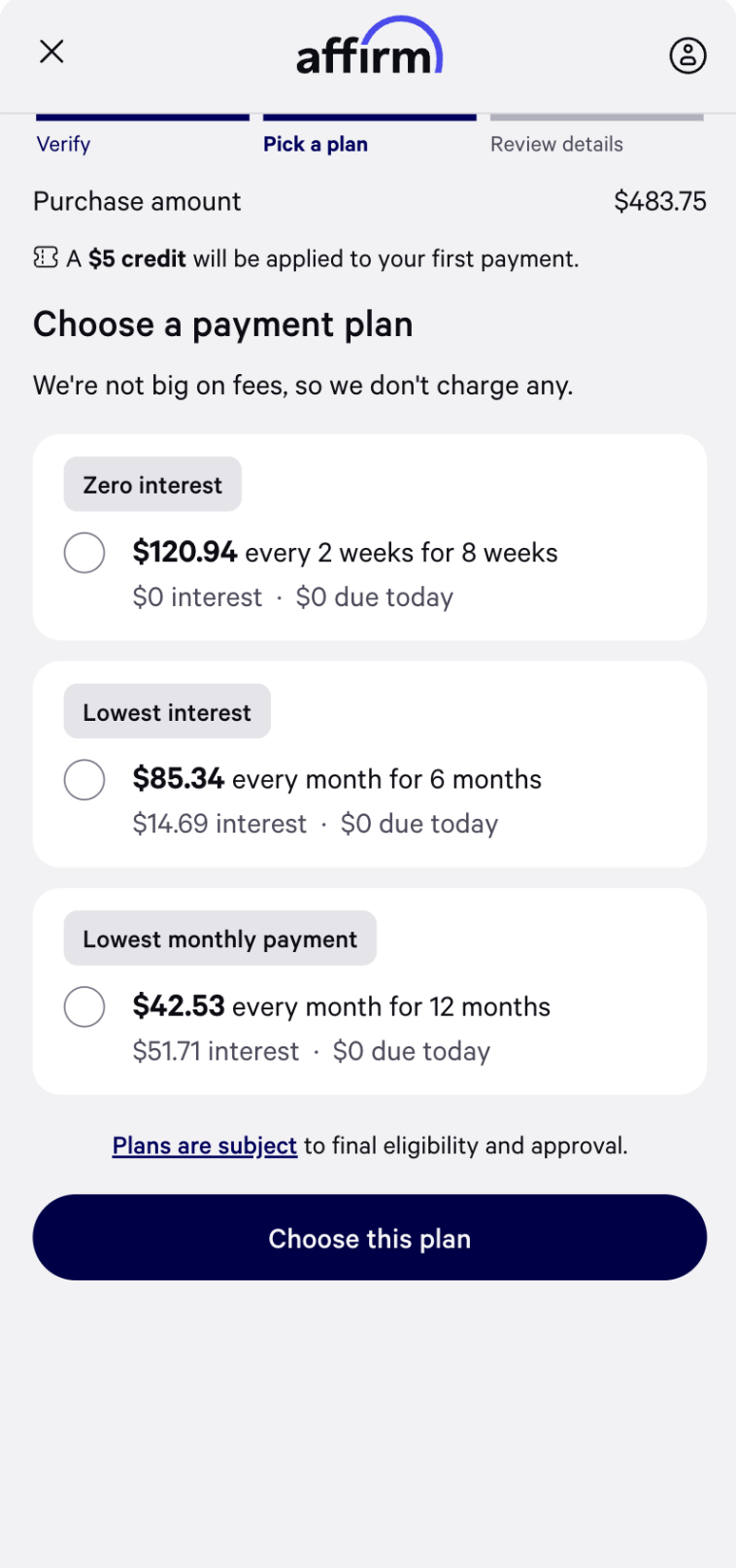 |
Terminology
| Term | Definition |
|---|---|
| Account linking ID | A stable value that uniquely identifies a customer within your systems. API Field Name: account_linking_id |
| Initial Linking Flow | The first checkout where a customer opts in to Connected Accounts, allowing Affirm to link the user to their merchant account and provide the merchant with a refresh token for future checkouts. |
| Returning User Token Exchange | A subsequent checkout where the merchant uses the customer’s stored refresh token to obtain credentials that can be used to authenticate the customer without repeating Affirm's standard phone/PIN authentication. |
| Accelerated Checkout | A checkout where a returning customer is authenticated using their existing Connected Accounts credentials, allowing them to bypass Affirm's standard phone/PIN authentication. |
| Returning User Flow | The sequence of events in which a merchant performs the Returning User Token Exchange and initiates an Accelerated Checkout. |
| Proof key for code exchange (PKCE) | An OAuth security mechanism where the client generates a code verifier and derived code challenge, then uses the verifier to securely exchange the authorization code for a token. |
| Code verifier | A random secret generated by the client. This must always stay on the client and is ultimately appended to the Affirm checkout URL. API Field Name: code_verifier |
| Code challenge | A SHA-256 hash of the code verifier, sent to Affirm so it can later verify the matching code verifier without ever seeing it directly. API Field Name: code_challenge |
| Refresh token | During the Initial Linking Flow, the token that is returned after a user’s account is linked. During the Returning User Token Exchange, the token that is exchanged for an access token and replaced with a new refresh token on every exchange. Lifespan: 180 days |
| Access token | A token that is returned in exchange for a refresh token and later used to retrieve a session code. Lifespan: 15 minutes |
| Session code | A single-use token that the frontend passes with a PKCE code verifier to the redirect URL to perform accelerated checkout. Lifespan: 60 seconds |
Updated 2 months ago