
Controllers & Pipelines cartridge installation
Explore Controllers and Pipelines cartridge installation in Salesforce Commerce Cloud (SFCC).
Country Availability
 USA
USA
 Canada
Overview
This page describes changes that should be made to the site for SiteGenesis storefronts. There are four types of custom modifications to your core cartridge:
- Templates
- Client-side JavaScript
- Controllers (SiteGenesis Controllers version)
- Pipelines (SiteGenesis Pipelines version)
Templates
1. cartridge/templates/default/components/header/htmlhead.isml
Copy the following code and and paste it after the Google verification feature:
<isinclude template="affirm/affirmheader" />
2. cartridge/templates/default/components/footer/footer_UI.isml
Copy and paste the following code after the last line:
<isinclude template="affirm/affirmfooter" />
3. cartridge/templates/default/checkout/cart/cart.isml
Find the closing tag for the div with cart-footer class (line 850). Copy and paste the following code right before the closing </fieldset> tag:
<isaffirmpromo context="cart" fpname="${require('int_affirm/cartridge/scripts/utils/affirmUtils').getFPNameByBasket(pdict.Basket)}">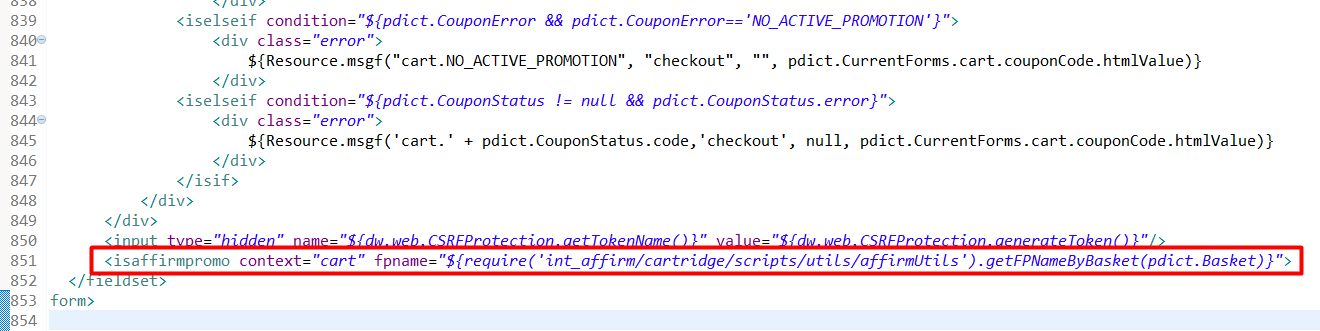
4. cartridge/templates/default/product/components/options.isml
Add the following data-affirm-name property to the select component:
<select id="${Option.htmlName}" name="${Option.htmlName}" data-affirm-name="${Option.ID}" class="product-option input-select">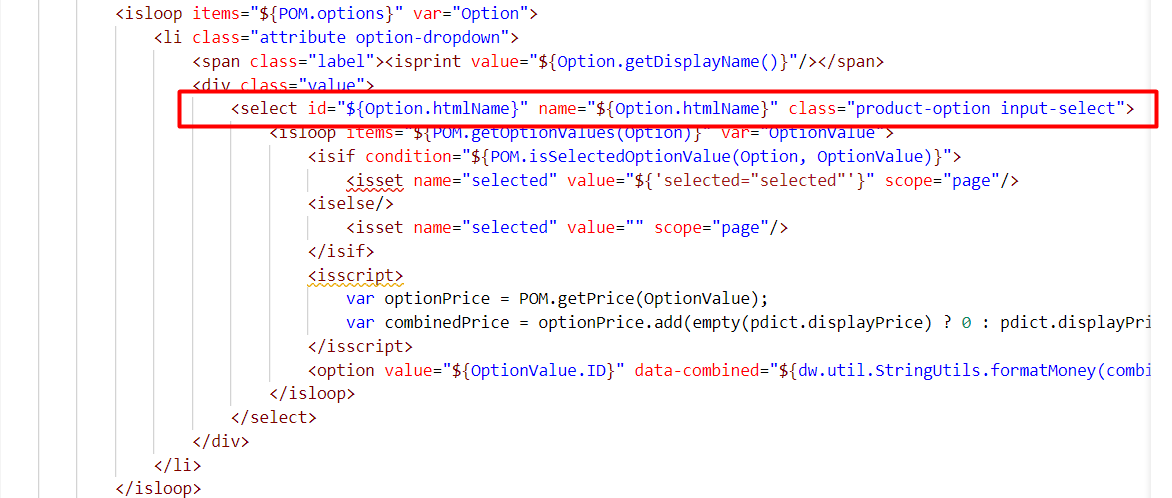
5. cartridge/templates/default/product/productcontent.isml
Copy and paste the following code after pricing component:
<isinclude template="util/affirmmodule"/>
<isaffirmpromo context="pdp" fpname="${require('int_affirm/cartridge/scripts/utils/affirmUtils').getFinancingProgramByProduct(pdict.Product, true)}" />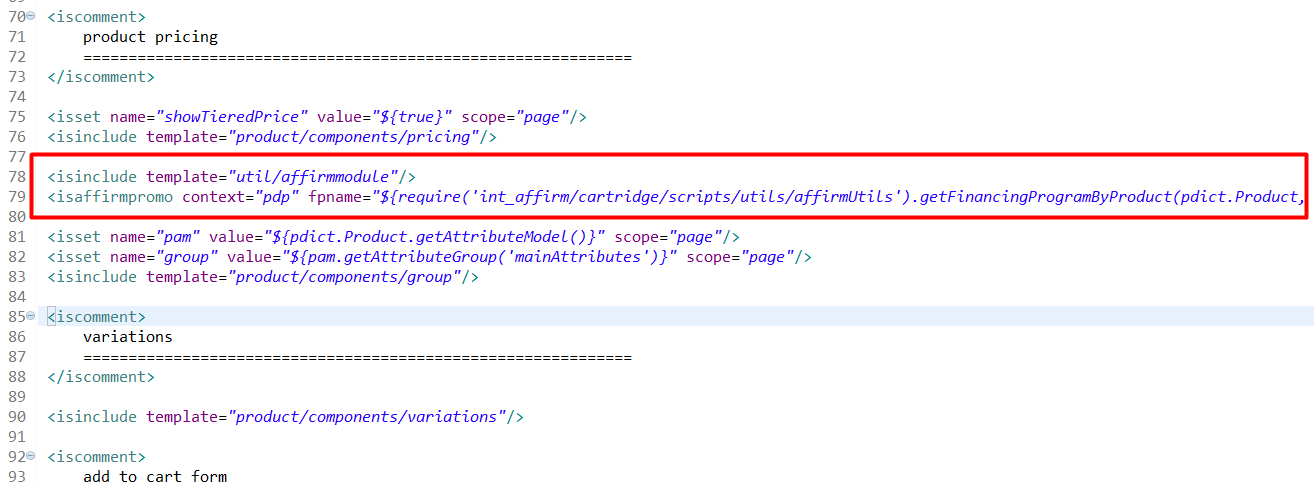
6. cartridge/templates/default/checkout/billing/paymentmethods.isml
Locate the following code:

Then, replace it with the following code:
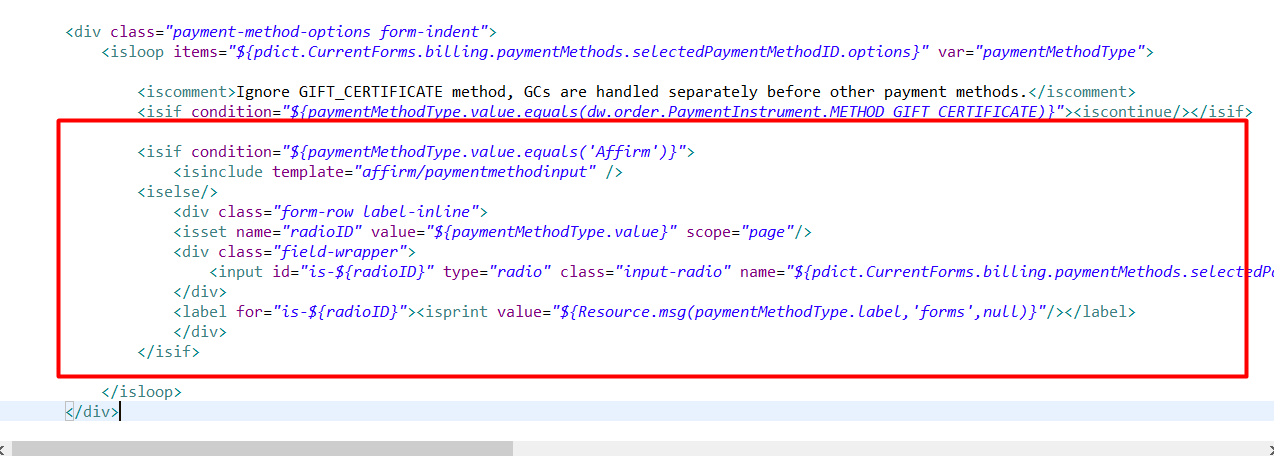
Insert the following tag after the Custom processor comment tag:
<isinclude template="affirm/affirmpaymentmethod" />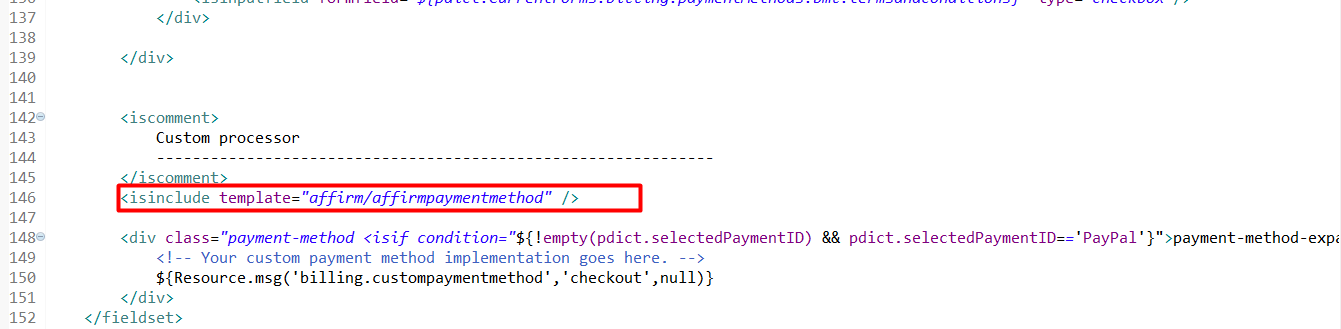
7. cartridge/templates/default/checkout/summary/summary.isml
Copy and paste the following code after the COSummary-Submit form:
<isinclude template="affirm/vcndata" />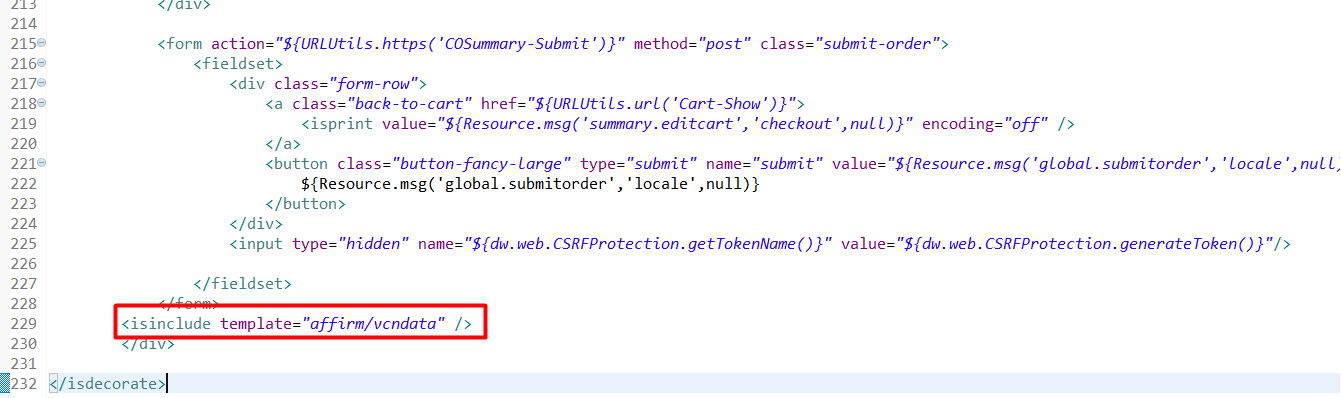
8. cartridge/templates/default/product/producttile.isml
Copy and paste the following code below after the product swatches block:
<isinclude template="util/affirmmodule"/>
<isaffirmpromo context="plp" fpname="${require('int_affirm/cartridge/scripts/utils/affirmUtils').getFPNameForPLP(pdict.CurrentHttpParameterMap.cgid.value, Product)}" price="${prices}"/>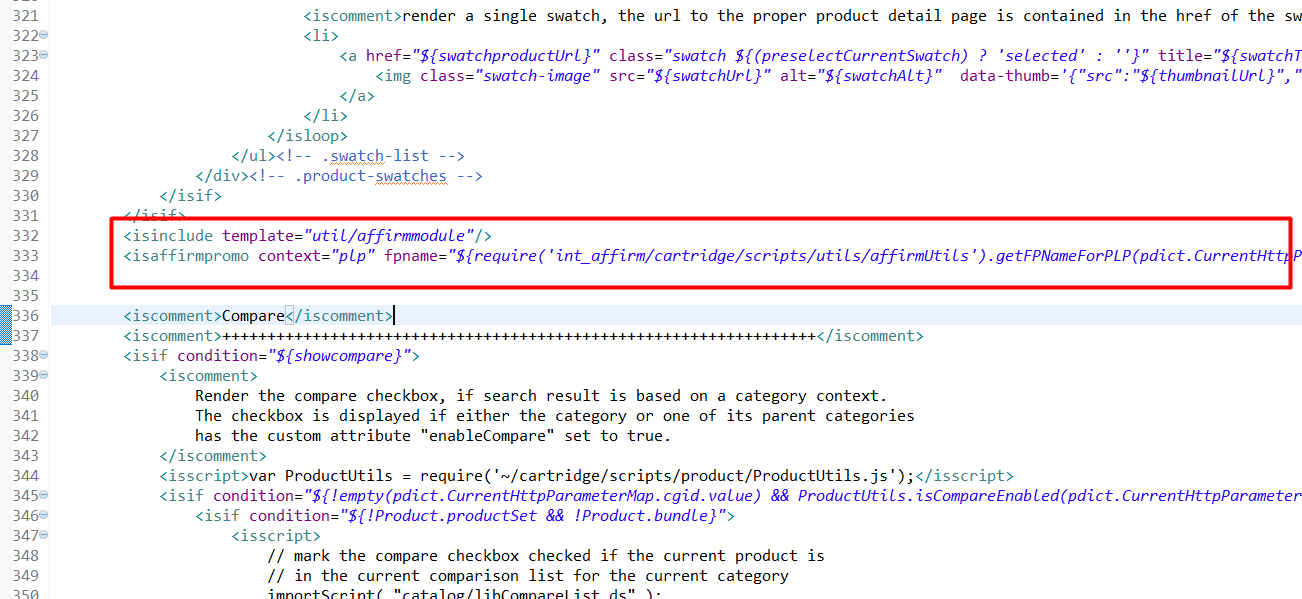
9. cartridge/templates/default/product/producttopcontentPS.isml
Copy and paste the following code after the div with product-number class:
<isinclude template="util/affirmmodule"/>
<isaffirmpromo context="pdp" fpname="${require('int_affirm/cartridge/scripts/utils/affirmUtils').getFinancingProgramByProduct(pdict.Product, true)}" />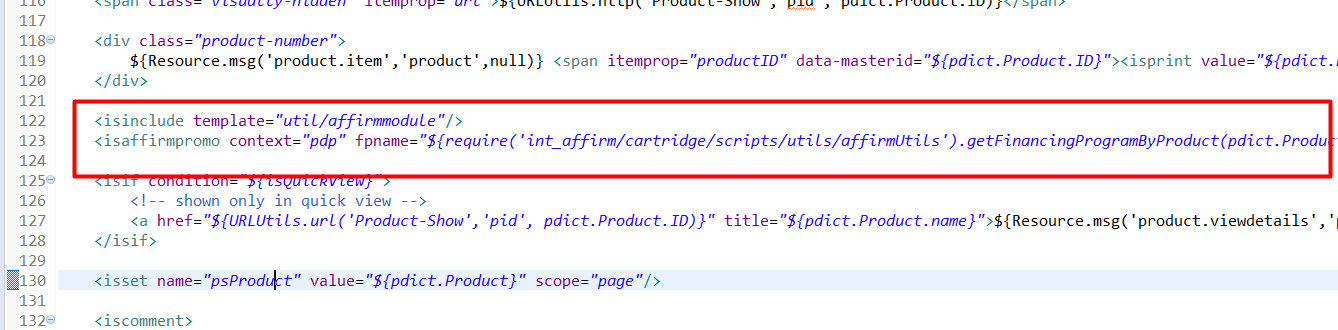
10. cartridge/templates/default/util/modules.isml
Copy and paste the following code after the content asset module import:
<isinclude template="util/affirmmodule"/>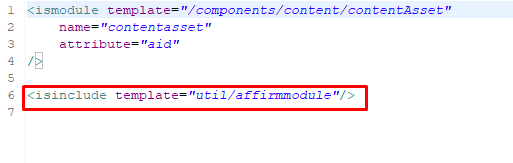
11. cartridge/templates/default/components/order/orderdetails.isml
Replace the div with payment-type class and isminicreditcard tag with the following code:
<isif condition="${!paymentInstr.custom.affirmed}">
			<div class="payment-type"><isprint value="${dw.order.PaymentMgr.getPaymentMethod(paymentInstr.paymentMethod).name}" /> </div>
			<isminicreditcard card="${paymentInstr}" show_expiration="${false}"/>
		<iselse/>
			<isaffirmpaymenttype email="${false}"/>
</isif>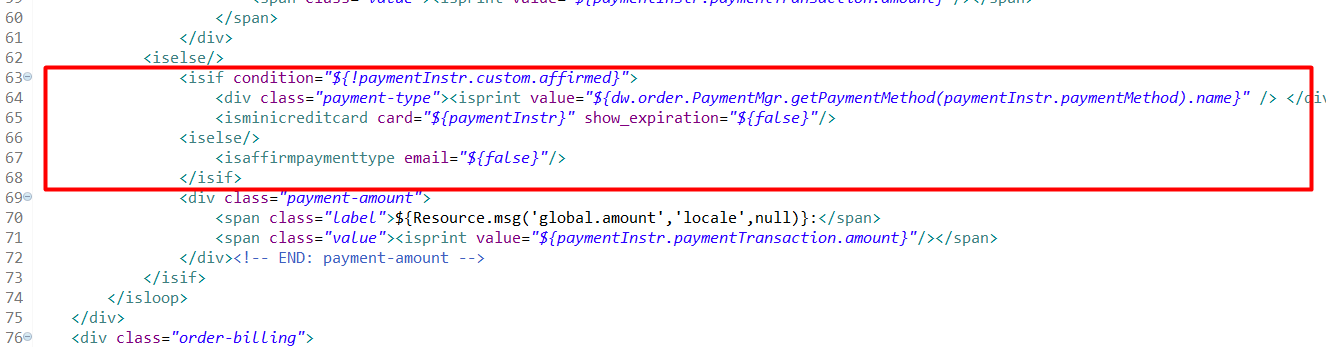
12. cartridge/templates/default/components/order/orderdetailsemail.isml
Replace lines above isminicreditcard tag (lines 46-50) with the following code:
<isif condition="${!paymentInstr.custom.affirmed}">
	<div><isprint value="${dw.order.PaymentMgr.getPaymentMethod(paymentInstr.paymentMethod).name}" /></div>
	<isif condition="${dw.order.PaymentInstrument.METHOD_GIFT_CERTIFICATE.equals(paymentInstr.paymentMethod)}">
		<isprint value="${paymentInstr.maskedGiftCertificateCode}"/><br />
	</isif>
	<isminicreditcard card="${paymentInstr}" show_expiration="${false}"/>
<iselse/>
	<isaffirmpaymenttype email="${true}"/>
</isif>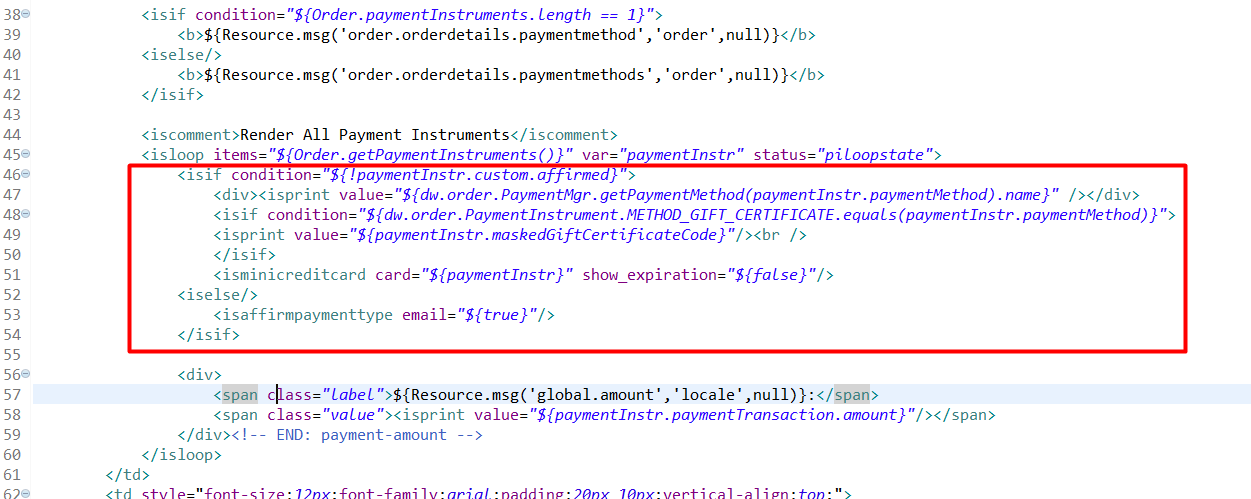
13. cartridge/templates/default/checkout/confirmation/confirmation.isml
Below the close tag of the div with confirmation message class, copy and paste the following code to include the tracking script template:
<isinclude url="${URLUtils.http('Affirm-Tracking', 'orderId', pdict.Order.orderNo)}" >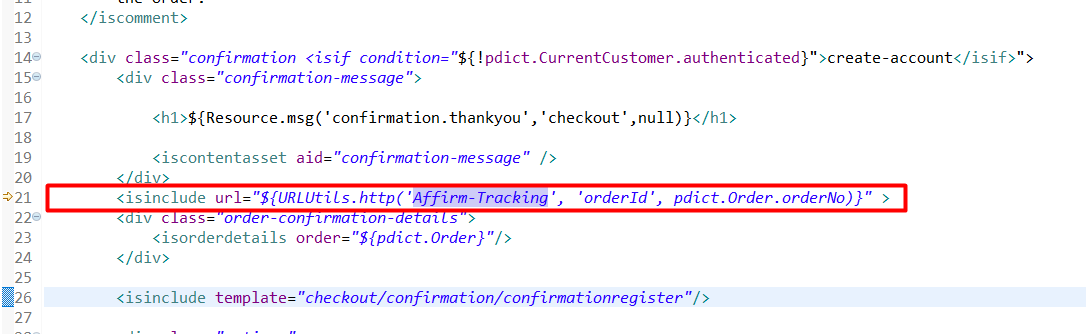
14. int_affirm_controllers/cartridge/templates/resources/affirm.properties
Find the property affirm.controllers.cartridge and set it as the name of your controllers' cartridge with script files app.js, guard.js. Example:
affirm.controllers.cartridge=app_storefront_controllersClient-side JavaScript
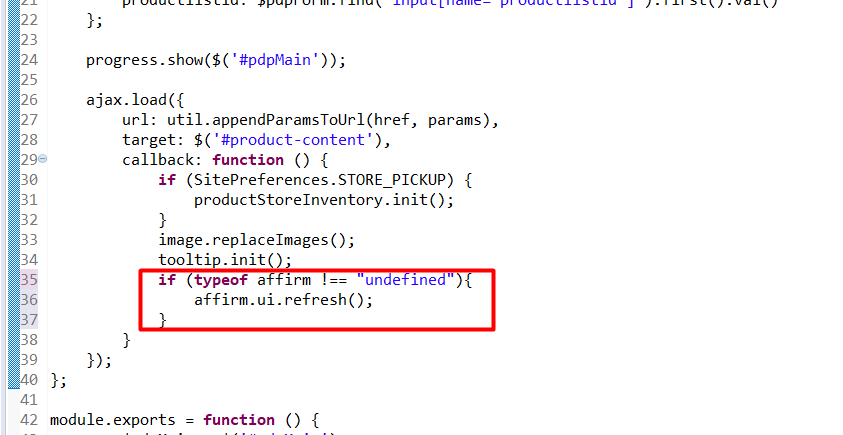
1. cartridge/js/pages/product/variant.js
Update the ajax.load within the updateContent method with the following code snippet:
if (typeof affirm !== "undefined"){
    affirm.ui.refresh();
}
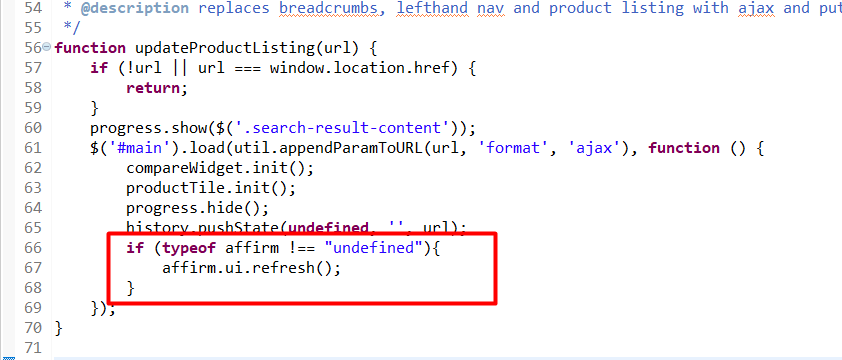
2. cartridge/js/pages/search.js
In the $('#man').load jQuery callback, include the following code snippet:
if (typeof affirm !== "undefined"){
    affirm.ui.refresh();
}
3. cartridge/js/pages/product/productSet.js
Update on('click') of event action with $productSetList with the following extended code:
var updateAffirmItems = function($container, oldSKU) {
        var affirmItem = affirmItems.find(function (item) {
            return item.sku === oldSKU;
        });

        affirmItem.sku = $container.find('input[name=pid]').first().val();
    }

var updateBuyWithAffirmButton = function () {
        if ($productSetList.find('.add-to-cart[disabled]').length > 0) {
            $('#js-affirm-checkout-now').hide();
        } else {
            $('#js-affirm-checkout-now').show();
            document.dispatchEvent(new CustomEvent('affirm-checkout-button-rendered'));
        }
            };

    // click on swatch for product set
    $productSetList.on('click', '.product-set-item .swatchanchor', function (e) {
        e.preventDefault();
        if ($(this).parents('li').hasClass('unselectable')) { return; }
        var url = Urls.getSetItem + this.search;
        var $container = $(this).closest('.product-set-item');
        var qty = $container.find('form input[name="Quantity"]').first().val();

        var oldSKU = $container.find('input[name=pid]').first().val();
        ajax.load({
            url: util.appendParamToURL(url, 'Quantity', isNaN(qty) ? '1' : qty),
            target: $container,
            callback: function () {
                updateAddToCartButtons();
                updateAffirmItems($container, oldSKU);
                updateBuyWithAffirmButton();
                tooltip.init();
            }
        });
    });
ImportantTo properly render “affirm-as-low” on product, landing, and card page, verify that the
affirm.ui.refreshfunction is being called at the end of handle functions that influence price on basket (e.g., ajax product price change, quantity based price change, pagination, search, add-on price change).
Ensure to rebuild client JS after making modifications.
Controllers (SiteGenesis Controllers)
1. cartridge/controllers/COBilling.js
Reassign applicablePaymentMethods within the initCreditCardList function with the following code:
applicablePaymentMethods = require('*/cartridge/controllers/Affirm').Init(cart, applicablePaymentMethods);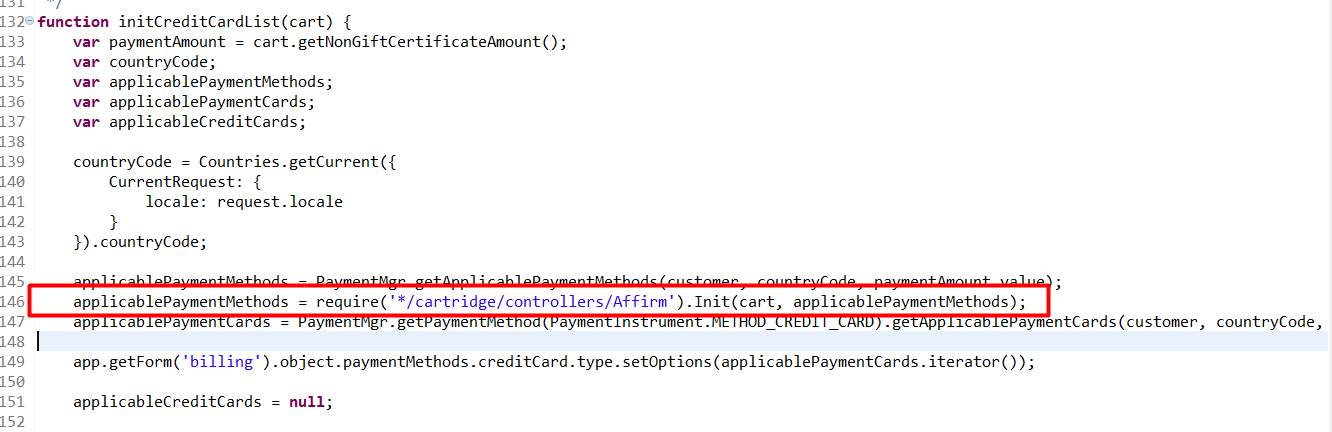
In the same file, find the publicStart function and replace the applicablePaymentMethods assignment with the following code:
var applicablePaymentMethods = require('*/cartridge/controllers/Affirm').Init(cart, creditCardList.ApplicablePaymentMethods);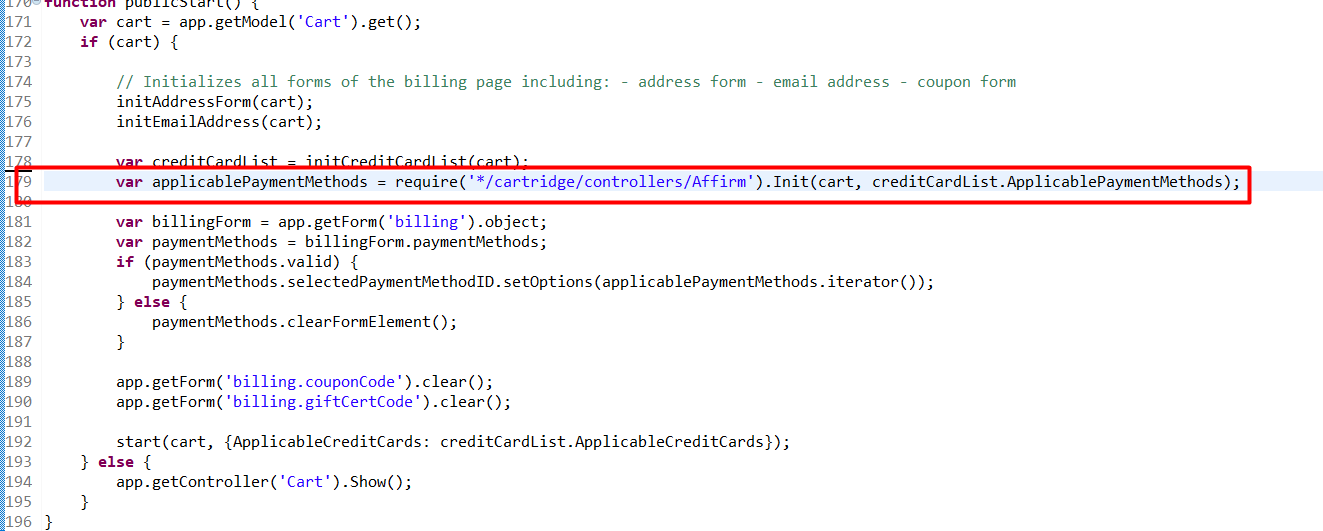
Then, replace the status assignment within the resetPaymentForms function with the following code:
var status = Transaction.wrap(function () {
        if (app.getForm('billing').object.paymentMethods.selectedPaymentMethodID.value.equals('PayPal')) {
            app.getForm('billing').object.paymentMethods.creditCard.clearFormElement();
            app.getForm('billing').object.paymentMethods.bml.clearFormElement();

            cart.removePaymentInstruments(cart.getPaymentInstruments(PaymentInstrument.METHOD_CREDIT_CARD));
            cart.removePaymentInstruments(cart.getPaymentInstruments(PaymentInstrument.METHOD_BML));
            cart.removePaymentInstruments(cart.getPaymentInstruments('Affirm'));
        } else if (app.getForm('billing').object.paymentMethods.selectedPaymentMethodID.value.equals(PaymentInstrument.METHOD_CREDIT_CARD)) {
            app.getForm('billing').object.paymentMethods.bml.clearFormElement();

            cart.removePaymentInstruments(cart.getPaymentInstruments(PaymentInstrument.METHOD_BML));
            cart.removePaymentInstruments(cart.getPaymentInstruments('PayPal'));
            cart.removePaymentInstruments(cart.getPaymentInstruments('Affirm'));
        } else if (app.getForm('billing').object.paymentMethods.selectedPaymentMethodID.value.equals(PaymentInstrument.METHOD_BML)) {
            app.getForm('billing').object.paymentMethods.creditCard.clearFormElement();

            if (!app.getForm('billing').object.paymentMethods.bml.ssn.valid) {
                return false;
            }
            cart.removePaymentInstruments(cart.getPaymentInstruments(PaymentInstrument.METHOD_CREDIT_CARD));
            cart.removePaymentInstruments(cart.getPaymentInstruments('PayPal'));
            cart.removePaymentInstruments(cart.getPaymentInstruments('Affirm'));
        } else if (app.getForm('billing').object.paymentMethods.selectedPaymentMethodID.value.equals('Affirm')) {
        	cart.removePaymentInstruments(cart.getPaymentInstruments(PaymentInstrument.METHOD_CREDIT_CARD));
            cart.removePaymentInstruments(cart.getPaymentInstruments(PaymentInstrument.METHOD_BML));
            cart.removePaymentInstruments(cart.getPaymentInstruments('PayPal'));
        }
        return true;
    });

    return status;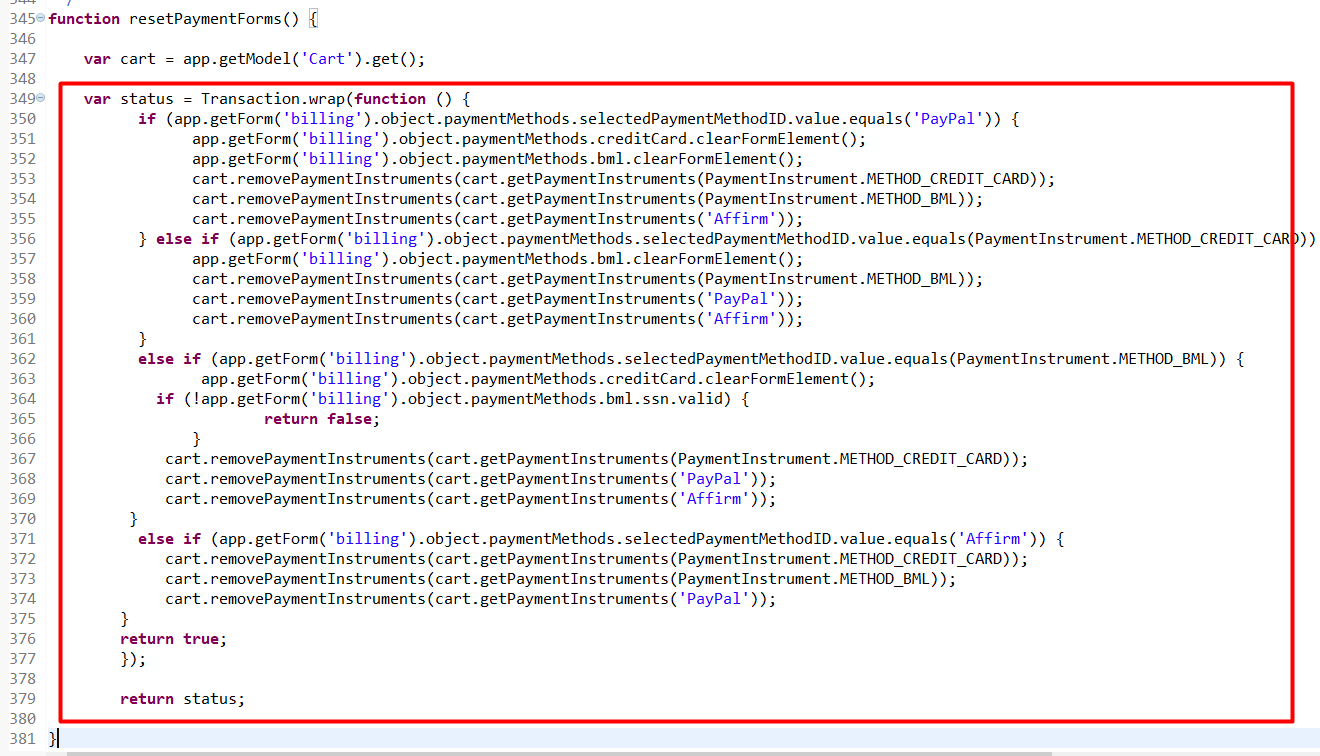
2. cartridge/controllers/COPlaceOrder.js
Below the saveCCResult variable and its conditional check, include affirmController to get Affirm status with the following code snippet:
var affirmController = require('int_affirm_controllers/cartridge/controllers/Affirm');
var affirmCheck = affirmController.CheckCart(cart);
if (affirmCheck.status.error) {
	return {
		error: true,
		PlaceOrderError: affirmCheck.status
	};
}
3. cartridge/controllers/COSummary.js
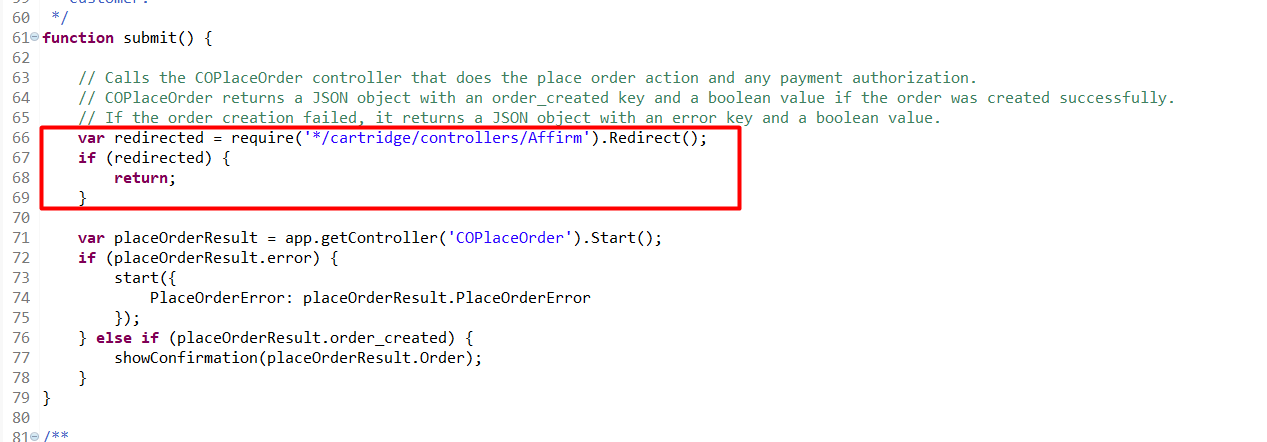
In the beginning of submit function, add the following code:
var redirected = require('int_affirm_controllers/cartridge/controllers/Affirm').Redirect();
if (redirected) {
	return;
}
Pipelines (SiteGenesis Pipelines)
1. cartridge/pipelines/COBilling.xml
Find the start node InitCreditCardList and add a call node (Affirm-Init, int_affirm_pipelines) after the second Assign node.
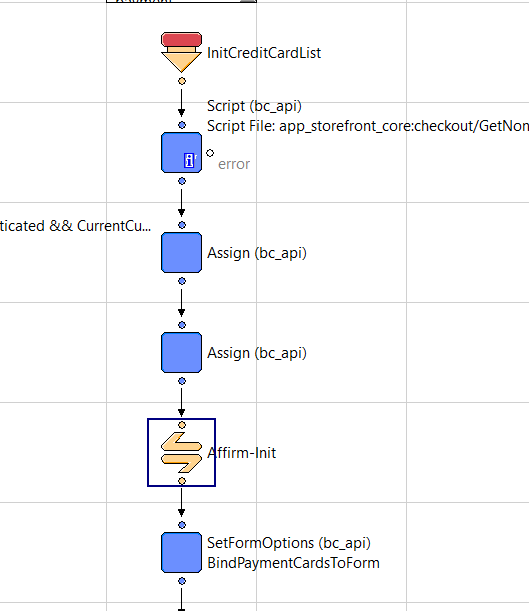
pipelines_1_COBilling_1_Affirm-Init
Then, find the start node ResetPaymentForms and add Pipelet nodes.
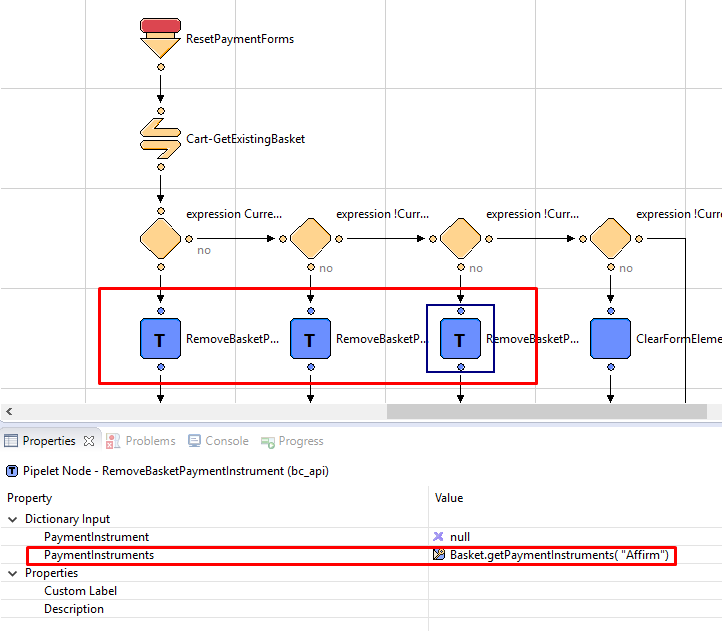
pipelines_1_COBilling_2_ResetPaymentForms
In the same pipeline, create an additional branch:
- Decision node – Decision Key:
!CurrentForms.billing.paymentMethods.selectedPaymentMethodID.value.equals('Affirm') - ClearFormElement Pipelet – FormElement:
CurrentForms.billing.paymentMethods.creditCard - ClearFormElement Pipelet – FormElement:
CurrentForms.billing.paymentMethods.bml RemoveBasketPaymentInstrumentPipelet – PaymentInstruments:Basket.getPaymentInstruments(dw.order.PaymentInstrument.METHOD_CREDIT_CARD)RemoveBasketPaymentInstrumentPipelet – PaymentInstruments:Basket.getPaymentInstruments( dw.order.PaymentInstrument.METHOD_BML)
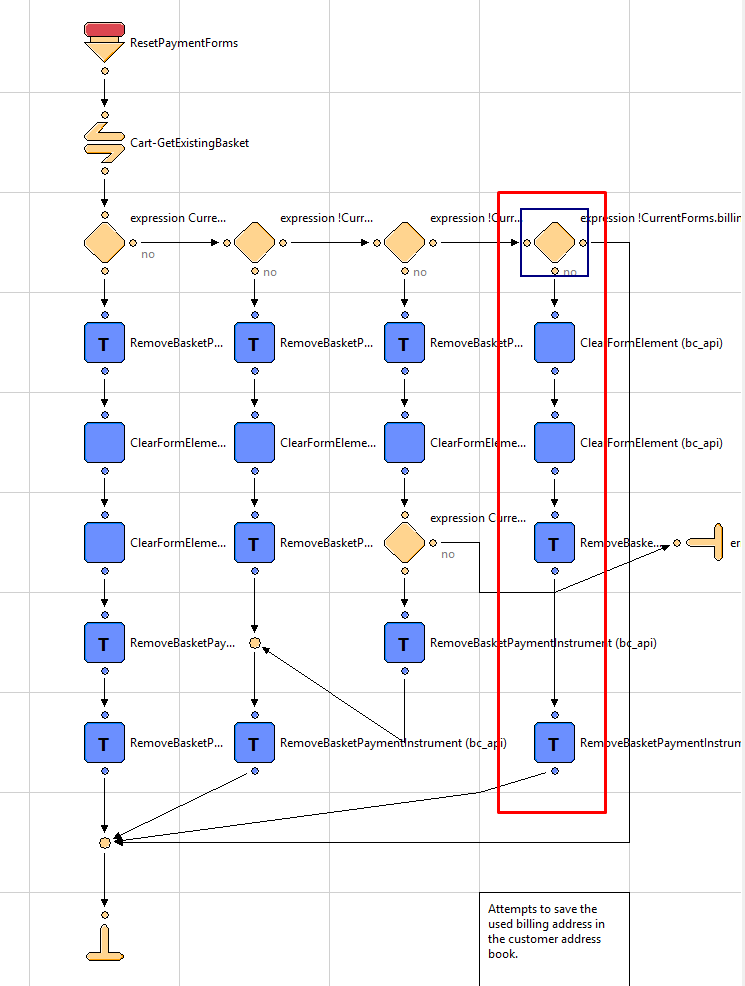
pipelines_1_COBilling_4_ResetPaymentForms_additional_branch
Updated 7 months ago