
Cancel a Card
Use Affirm's Cancel Card API request to fully void a virtual card.
How it works
The Cards Cancel API enables merchants to immediately void or cancel an Affirm virtual card and the associated loan by supplying a valid checkout_id. Please use this tool carefully. We normally see the usage of this API request for a business model where:
- A lot of price changes (flights, goods, auctioning, etc.) where the order was not successfully confirmed
- If you have a lot of order failures.
Note: If you're unsure if that applies to your business, contact us via the support widget.
Feature EnablementReach out to your technical contact to enable the Cancel Cards functionality.
ImportantDon’t use the Cancel API after order fulfillment or when the card will be captured because there may be instances where:
(a) fees are collected per terms and conditions of the purchase
(b) a portion of the purchase is not refundable
(c) merchant has or will capture against the card and not issue a full refund
Timelines
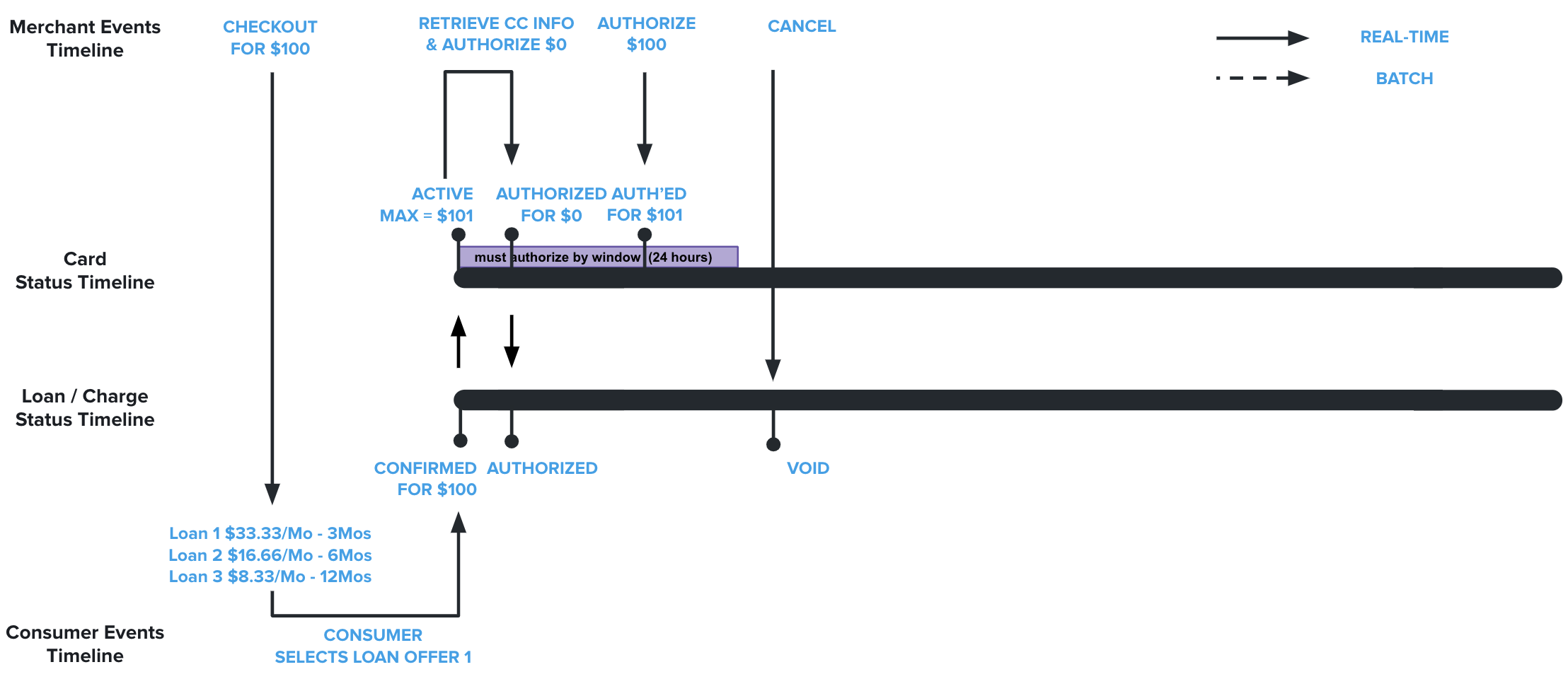
On Authorization
On Capture

Successful ResponseWhen a confirmation response is received, the customer's loan is voided or fully refunded. This cancel action also removes the loan from the customer's Affirm user portal.
- If the card is expired, canceled, or auth_expired, nothing happens as the card is already canceled.
- If the card is in a confirmed state, Affirm expires the card and cancels the charge.
- If the card is in an authorized state, Affirm will auth-expire the card and void the charge.
- If the card is in a captured state, Affirm will auth-expire the card and void the loan. Affirm expects the merchant to fully refund the charge if a capture event was successfully submitted.
Bad Request
- The merchant is not a Platforms VCN merchant.
- There is no checkout_id with that
checkout_id.- There is no card associated with the
checkout_id.- The current agent does not have update permission on the charge (wrong merchant).
- The charge is being disputed.
- The card state is not being handled (should never happen unless we add a new
CardState).
Production EnvironmentThese bad requests can only be reproduced in a production environment, as real card details are not generated in sandbox.
Recommended Topics
Updated 8 months ago